












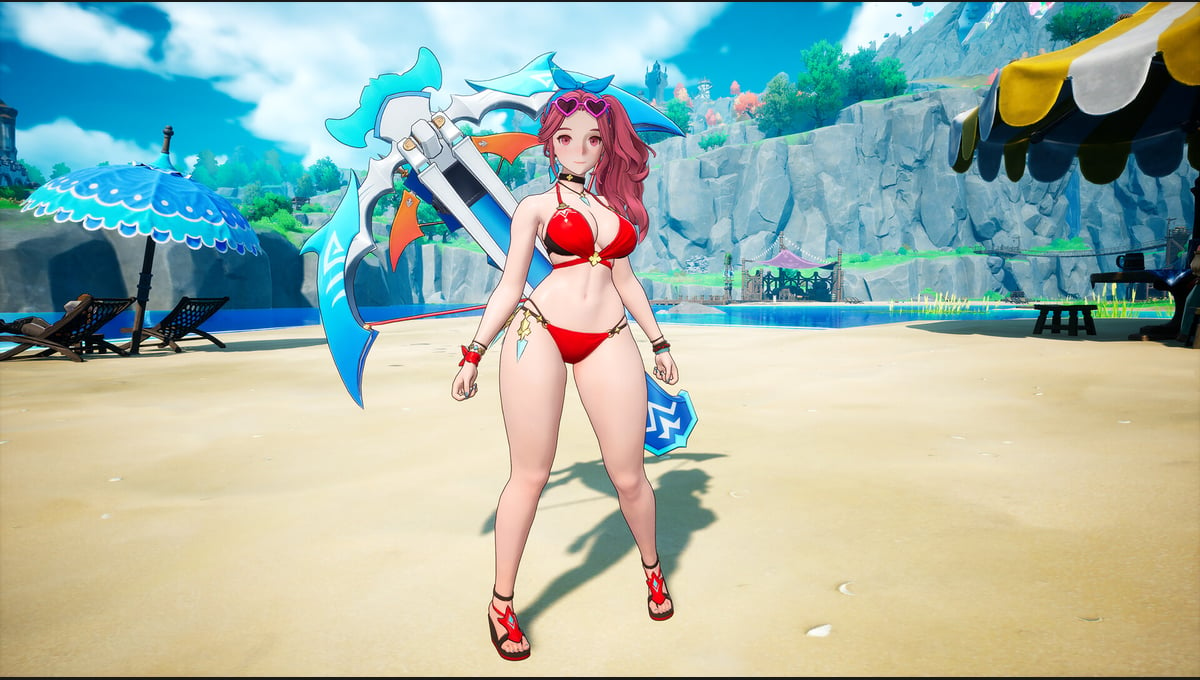
DragonSword : Awakening - Summer Sea Set
Product info
DragonSword : Awakening - Costume : Coral Summer Mischief
※ This content requires the base game (DragonSword : Awakening) to play.
[Contents]
- Costume : Coral Summer Mischief
- Weapon Appearance : Sunshine Heartshot
[Costume : Coral Summer Mischief]
Astria's summer outfit, blending sunny vitality with coral-colored accents.
One glimpse of her laughing and leaping in, and the festival might as well have begun.
[Weapon Appearance : Sunshine Heartshot]
Astria's crossbow, capturing dazzling sunshine and a playful heart.
Pull the trigger and a lovely commotion breaks out — enemies usually end up soaring into the sky.
DragonSword : Awakening - Costume : White Flower of the Blue Waves
※ This content requires the base game (DragonSword : Awakening) to play.
[Contents]
- Costume : White Flower of the Blue Waves
- Weapon Appearance : Petals at the Wave's Edge
[Costume : White Flower of the Blue Waves]
Reina's summer outfit, where white flower ornaments meet blue waves.
Like a flower blooming on calm waters, it is serene yet impossible to look away from.
[Weapon Appearance : Petals at the Wave's Edge]
Reina's weapon, resembling flower petals scattering at the edge of the waves.
It seems to brush by gently, but its edge is far colder than you'd expect.
DragonSword : Awakening - Costume : Moonlight on the Night Sea
※ This content requires the base game (DragonSword : Awakening) to play.
[Contents]
- Costume : Moonlight on the Night Sea
- Weapon Appearance : Star upon the Waves
[Costume : Moonlight on the Night Sea]
Cerese's summer outfit, pairing a calm navy swimsuit with black ribbons.
Even under the blazing sun, her gaze glimmers as cool as the midnight moon.
[Weapon Appearance : Star upon the Waves]
Cerese's arcane device, where stars imbued with blue starlight ripple like the tide.
It appears to float calmly, but the moment magic touches it, it surges outward like a blue wave.
[How to Obtain In-Game After Purchasing the Costume DLC]
1. Press "ESC" on the keyboard or the "≡" button on the gamepad to enter the "Main Menu"
2. Select the "Hero" menu
3. Select the character of the purchased costume
4. Select the hanger-shaped icon at the bottom left
5. Select and equip the outfit you want
※ If purchased while the game is running, it can be confirmed after restarting the game.
※ Costumes can be used after obtaining the corresponding hero. Heroes can be obtained by completing quests or through the Exchange.
- Instant Delivery avg. delivery time of 5 min
- 100% refund in case of activation issues
- Secure payments through SSL encryption
- Official keys from our publishing partners
- 365 Customer Service all week including weekends